
Securing Remote Access for Legal Teams: What Firms Overlook
Last Updated: November 3, 2026
Quick Summary
Securing remote access for legal teams means controlling who can reach client files from outside the office, and verifying that tools like VPNs, MFA and file sharing are configured and monitored for how the firm actually works. Many firms have security tools in place but leave gaps in settings, stale accounts and unreviewed logs. A professional review shows where remote access stands today.
- Remote connections often carry the same confidential client files as the office network, yet sit outside daily oversight.
- Security tools being installed does not mean anyone is checking what they allow or who can reach what.
- A written remote work policy only protects a firm if it matches daily practice and is tested against real access records.
- MFA should cover every remote route, including administrator and shared accounts, not just the main email login.
- Firms should be able to show who accessed a shared client file and when, or their sharing practices need review.
Table of Contents
- Why Remote Access Is the Quiet Risk in Your Law Firm
- Where Remote Access Gaps Hide Behind Tools That Look Secure
- Building a Law Firm Remote Work Security Policy That Holds Up
- Multifactor Authentication for Law Firms: What Should Be Verified
- Secure File Sharing for Attorneys Without Losing Control of Client Data
- Endpoint Security for Law Firms: Laptops and Home Devices in Scope
- Planning Your Next Step: A Remote Access Assessment for Your Firm
- Frequently Asked Questions
Why Remote Access Is the Quiet Risk in Your Law Firm
Many law firms focus their security budget on the office network and overlook the connections that staff use from home, on the road, and from their phones. Staff who need to manage company phones, tablets and laptops from one place can see how mobile device management secures those devices and supports remote lock or wipe.
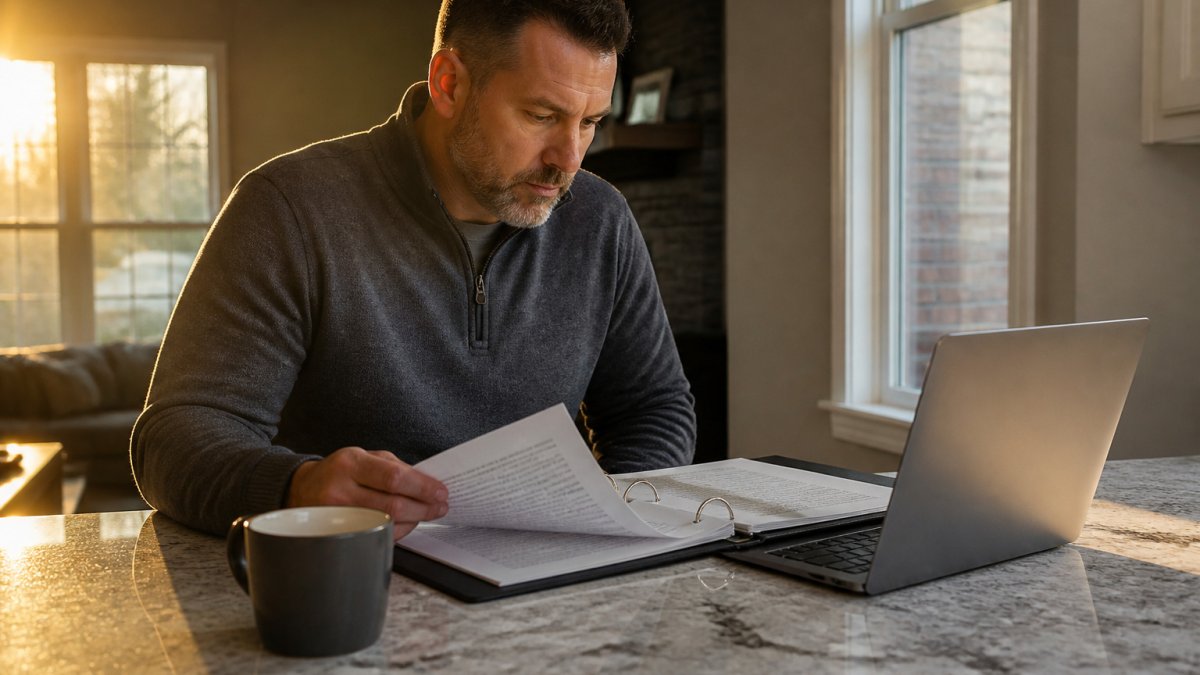
Remote work is now a normal part of practicing law. Attorneys review case files from home, paralegals join hearings from a kitchen table, and partners answer client email from airport lounges.
The risk is rarely one dramatic failure. It is usually a collection of small assumptions:
- A shared password that was never rotated after someone left
- A remote tool that was installed years ago and never checked again
- A home router with default settings that nobody has touched
- A file-sharing link that still works long after the matter closed
Each one looks minor on its own. Together, they can expose privileged client information.
A law firm's reputation rests on client trust, and a single access problem can damage that trust quickly.
Why this matters to your firm: Clients expect confidentiality. A remote access gap can lead to lost client trust, difficult conversations about what happened, and questions from insurers or regulators about how the firm protected its data.
Having remote tools in place does not prove they are working as intended.
Protect client files and confidential case data with a review designed for how law firms actually work.
Where Remote Access Gaps Hide Behind Tools That Look Secure
Most firms can name the security tools they own. The harder question is whether those tools are doing their job for your specific setup. Tools that look secure on paper often leave gaps in practice.
Consider a firm that uses a well-known VPN and a cloud document system. The VPN may encrypt traffic, but the firm may still allow broad access to every file share once a user connects.
This is common because security tools are often set up once and then left alone. Over time:
- Staff roles change, but access does not
- Former contractors keep accounts that were never closed
- Exceptions added for a single urgent case become permanent
- Alerts go to an inbox nobody checks
Watch out: A tool being installed does not mean anyone is watching what it allows. The gap is usually in the settings and the follow-up, not the product itself.
Questions a professional review should answer include:
- Who can reach which client files from outside the office?
- When was each remote account last reviewed?
- Are personal devices able to connect, and under what conditions?
- Would anyone notice if an account were used at an unusual hour?
Answering these questions requires looking at your specific environment. Triad Cyber Solutions can help you see where your current tools fall short. Schedule a discussion about your remote setup to start that conversation.
Building a Law Firm Remote Work Security Policy That Holds Up
A written remote work security policy gives your firm a shared standard.
The harder question is whether the policy actually matches the way your firm practices.
A policy that holds up does three things. It sets clear expectations for remote staff, it reflects how your firm truly operates, and it is reviewed on a regular schedule instead of gathering dust.
Strong policies usually address:
- Which devices are approved for client work, and whether personal phones or home computers are ever permitted
- Where confidential files may and may not be stored, including cloud accounts and personal drives
- How remote staff should report a lost device, a suspicious sign in, or a misdirected file
- Who approves exceptions, how long they last, and how they are removed when the matter closes
- How temporary staff, contract attorneys, and co counsel are granted and later stripped of access
- What happens to access when someone leaves the firm or changes roles
Why a policy alone is not enough: A document describes what should happen. It does not confirm that the technology matches the policy.
A common pattern is a policy that reads well but was written for an office only firm and never updated for remote work. Attorneys then improvise, and the improvisation becomes the real policy.
Many firms also overlook how the policy interacts with their obligations to clients and their own internal rules. Documenting how client obligations shape virtual client meetings can also clarify which access controls attorneys need when discussing sensitive matters remotely.
Watch out: a policy that is never tested against real sign in records and access lists can give leadership false confidence that remote access is under control.
Multifactor Authentication for Law Firms: What Should Be Verified
Multifactor authentication, often called MFA, adds a second check beyond a password when someone signs in (Multi-Factor Authentication | NIST). Many firms have turned it on.
A common gap is MFA that protects the main email login but not older apps, legacy file portals, or administrator accounts.
When your firm reviews MFA, the important items to verify include:
- Whether every remote access route requires the second factor, including email, file systems, practice management tools, and remote desktop paths
- Whether administrator and shared accounts are covered, since these are the accounts attackers value most
- How the firm handles lost phones, new devices, and staff who travel or appear in court without their usual phone
- Whether exceptions exist, who approved them, and whether they were ever removed
- Whether sign in records are reviewed so unusual activity is noticed rather than discovered months later
Why this matters to your firm: A compromised remote account is not just an IT event.
Keeping MFA consistent is often harder than turning it on, because staff change roles, new tools are added, and exceptions accumulate.
Equally important is what happens after a remote account is suspected of compromise.
Triad Cyber Solutions can review your authentication coverage and your readiness to respond if a remote account is ever misused.
The items a firm should confirm about its MFA coverage are summarised below.
| Item to verify | Why it matters | Business risk |
|---|---|---|
| Every remote access route | Attackers use the weakest unprotected path | Privileged client communications exposed |
| Administrator and shared accounts | These accounts are the most valuable to attackers | Broad control of firm systems |
| Lost phones and new devices | Staff travel, appear in court, and change devices | Access left open after a device is lost |
| Exceptions and who approved them | Exceptions can become permanent | Gaps no one remembers |
| Sign in record reviews | Unusual activity should be noticed early | Misuse discovered months later |
Secure File Sharing for Attorneys Without Losing Control of Client Data
Attorneys need to share documents with clients, co-counsel, experts, and opposing parties. The convenience of sharing can quietly erode control over who holds a copy of confidential information.
The risk often comes from links and attachments. A shared link may be forwarded beyond its intended recipient. An attachment may sit in an inbox for years. A file may be copied to a personal device and never removed.
Firms that share files safely tend to think about:
- Who should have access, and for how long
- Whether access can be revoked after a matter closes
- Whether activity is logged so the firm can see who viewed what
- Whether external parties are using their own unmanaged systems
Ask yourself: If a client's file were shared with the wrong person today, could your firm show who accessed it and when? If the answer is unclear, your sharing practices need review.
Triad Cyber Solutions can assess how your firm shares documents and identify where control is being lost. The goal is a sharing process your attorneys can use easily while your firm keeps visibility over client data.
Endpoint Security for Law Firms: Laptops and Home Devices in Scope
Every laptop, tablet, and phone that touches client data is an endpoint. Home computers used for occasional work are part of your firm's exposure even if the firm does not own them.
Endpoint risks are easy to miss. A laptop may lack current protection because updates were postponed. A personal device may be used for client email without anyone deciding that it should be. A lost phone may still be signed in to firm accounts.
An endpoint review usually examines:
- Which devices are authorized to access firm systems
- Whether devices receive timely updates and protection
- Whether lost or stolen devices can be locked or wiped remotely
- How personal devices are separated from client data
Why this matters: Your firm's security is only as strong as its least protected device. One outdated home computer can become the route into an otherwise well-guarded network.
Managed endpoint services and mobile device management can help firms keep these devices in view. Triad Cyber Solutions supports law firms with managed endpoint services so that laptops and phones used for client work stay accounted for.
Planning Your Next Step: A Remote Access Assessment for Your Firm
A remote access assessment gives your firm a clear picture of where confidential data can be reached, by whom, and under what conditions. It turns general worries into specific findings your leadership can act on.
A useful assessment covers your remote tools, identity and MFA settings, file sharing practices, endpoint coverage, and the policies that govern them. It also compares what the firm intends with what the systems actually allow.
When you are ready to move forward, consider these questions:
- Do we know every route into our client files from outside the office?
- Could we demonstrate our controls to a client, insurer, or auditor today?
- Who owns remote access decisions at our firm?
If the answers are uncertain, that uncertainty is itself useful information. Triad Cyber Solutions offers cybersecurity compliance services for regulated organizations and can help your firm understand its current position.
Your clients trust your firm with their most sensitive matters. Book a call with Triad Cyber Solutions to review how your firm's remote access is protected and where it may need attention.
Frequently Asked Questions
How can law firms secure remote access for employees?
Start by identifying every path into the firm's systems, including email, document platforms, and administrative tools. A professional assessment can map who has access to what, whether multifactor authentication covers all remote logins, and whether access is removed promptly when staff leave. Having these tools in place does not guarantee they are configured correctly, which is why an outside review often finds gaps that internal teams miss during daily work.
What are the biggest remote access security risks for legal teams?
The most common risks involve excessive user permissions, unmanaged personal devices, and accounts that remain active after a departure. Client information is often shared across email and file platforms, so a single compromised login can expose confidential matters. Understanding where these risks sit in your specific environment is the first step toward reducing them.
Why is multifactor authentication important for remote access?
Passwords alone are easy to steal through phishing and reuse across accounts. Multifactor authentication adds a second check before someone gains entry, which can slow or stop an attacker who has obtained a password. It only helps when it is applied consistently to every remote entry point, so verifying coverage across all systems matters as much as turning it on.
What should a law firm evaluate in a remote access security assessment?
A useful assessment looks at user access levels, authentication coverage, how client files are shared, the security of devices used off-site, and how account activity is reviewed. It should also examine whether the firm's written policies match how people actually work. The output should be a prioritized list of gaps tied to business risk, such as client confidentiality, insurance requirements, and operational continuity.