
Proactive Monitoring for IT Support Optimization
Table of Contents
- Why Most IT Teams Still Fight Fires Instead of Preventing Them
- Proactive Monitoring for IT Support Optimization: What It Actually Changes
- Proactive vs Reactive IT Management: The Cost of Waiting
- Common Issues Resolved Before They Escalate
- How an IT Infrastructure Health Assessment Reveals Hidden Gaps
- Reducing IT Downtime for Business: What Monitoring Cannot Fix Alone
- Choosing the Right Monitoring Approach Without Getting Locked In
- Frequently Asked Questions
Last Updated: September 25, 2026
Why Most IT Teams Still Fight Fires Instead of Preventing Them
Most IT teams don't choose to be reactive. They get pulled there. A server drops offline at 2 a.m., a partner can't open a client file, a practice manager calls about a system that "just stopped working," and the day disappears into triage. The work that would have prevented those calls never gets done.
That pattern compounds. Every unplanned outage pulls staff off projects, delays billing, and chips away at client and patient trust. Proactive monitoring for IT support optimization exists to break that cycle.
We see this constantly across regulated industries. The businesses that stay calm during a bad week aren't lucky. They have visibility into their systems before something breaks.
What separates them comes down to four things: they watch system health continuously, act on early warning signs rather than failures, document what they find and fix, and treat monitoring as a program rather than a tool. Below, we'll break down what changes when monitoring runs well, where most teams get it wrong, and how to tell whether your current setup is genuinely protecting you.
Proactive Monitoring for IT Support Optimization: What It Actually Changes
Proactive monitoring means continuously watching systems, networks, and endpoints for signs of trouble, then acting before users are affected. It replaces the "wait for a ticket" model with one that finds problems first.
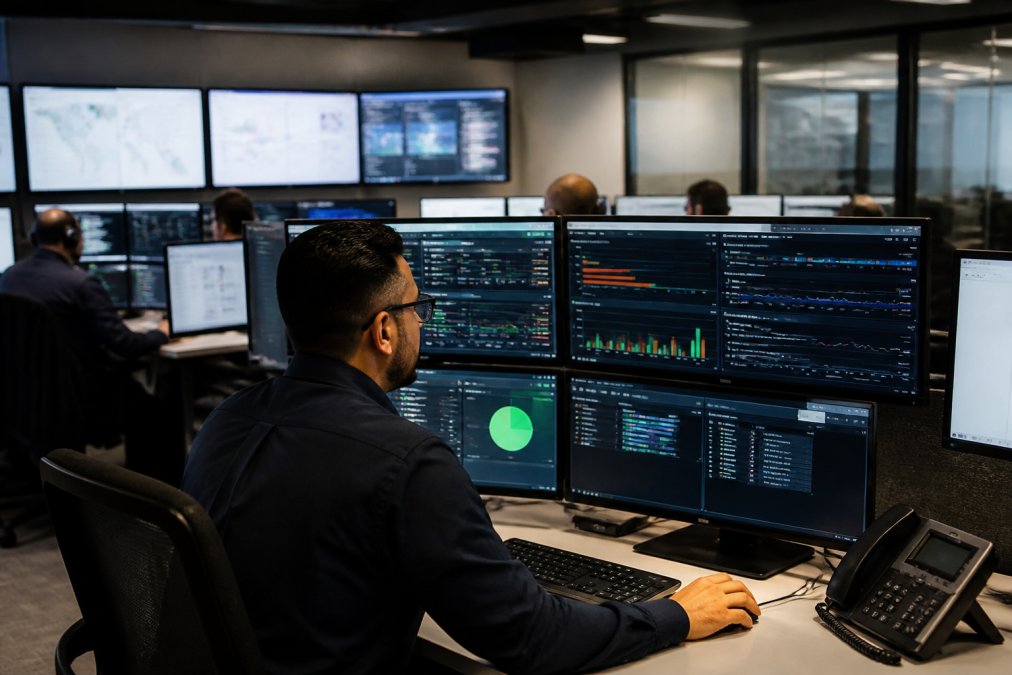
That shift matters more than most leaders expect.
Threshold Monitoring and Anomaly Detection in Practice
Threshold monitoring watches for values that cross a set line. Disk usage above a certain level. CPU load that stays high. A backup that fails twice in a row.
Automated Workflows That Reduce Incident Escalation
Automated workflows decide what happens when something looks wrong. A low-priority alert might open a ticket. A critical one might page an engineer immediately.
Proactive vs Reactive IT Management: The Cost of Waiting
The real cost of reactive IT isn't the repair bill. It's everything around it. Downtime, lost productivity, delayed work, and the reputational hit when clients or patients notice.
Consider how the two models compare:
| Factor | Reactive IT | Proactive IT |
|---|---|---|
| When problems are found | After users report them | Before users notice |
| Typical response | Emergency triage | Planned fix |
| Impact on staff | Interrupted, frustrated | Unaffected |
| Documentation | Often missing | Built into the process |
| Compliance evidence | Hard to produce | Captured continuously |
Where Reactive Costs Actually Hide
Most leaders can name the invoice for a failed drive or an emergency vendor call. Fewer can name the places reactive support quietly drains the business every quarter:
- Interrupted work. When a system goes down mid-task, the person loses more than the minutes offline, they lose the context they were holding, and rebuilding it takes time. Across a team and a week, that loss dwarfs the repair.
- Overtime and after-hours premiums. Emergency work happens outside normal hours because that's when the failure surfaces, the most expensive hours your team works.
- Delayed revenue. Billing that can't be submitted, orders that can't be entered, and appointments that can't be confirmed all push cash further out. For a practice or professional services firm, that delay is the real hit.
- Reputation and retention. Clients and patients rarely remember the outage. They remember how it felt. A pattern of small disruptions erodes confidence long before anyone formally complains.
- Compliance exposure. When an auditor or insurer asks for evidence that systems were monitored, patched, and reviewed, reactive environments usually can't produce it, a gap with consequences well beyond IT.
The ROI Case You Can Actually Take to a Budget Conversation
Proactive monitoring is easier to justify when you frame it as risk transfer rather than a tool purchase. The question isn't "what does monitoring cost?" It's "what does one preventable incident cost, and how often are we having them?"
A practical way to build that case:
- Count the unplanned events your team handled last quarter, outages, emergency tickets, after-hours calls, failed backups.
- Estimate the hours consumed by each, including recovery time after the system is back up.
- Attach a loaded hourly rate to those hours, salary, benefits, and the opportunity cost of work that didn't get done.
- Add the harder-to-quantify items, delayed billing, client frustration, compliance evidence you couldn't produce.
Common Issues Resolved Before They Escalate
Most of what proactive monitoring catches is boring. That's the point. These are the issues that would have become emergencies if no one was watching.
- Storage nearing capacity on a server or backup target
- Failed or skipped backups that leave data unprotected
- Repeated service crashes that signal a deeper problem
- Expired certificates that will break email or web access
- Unusual login activity that suggests a compromised account
- Devices missing security updates for weeks
- Network devices running hot or dropping packets
Predictive Maintenance and Capacity Planning
Predictive maintenance uses patterns in your data to replace or upgrade components before they fail, a drive logging more errors than usual, a server running near its limits for months.
How an IT Infrastructure Health Assessment Reveals Hidden Gaps
An IT infrastructure health assessment is a structured review of your environment, configuration, coverage, and whether your protections actually work as intended. It's not a scan; it's a judgment call made by someone who knows what good looks like.
A proper assessment looks at questions like:
- Which systems are actually being monitored, and which aren't?
- Are alerts going to a person who can act on them?
- Is there documentation showing what was found and fixed?
- Do the controls match what your compliance framework requires?
- Would you be able to prove any of this to an auditor or insurer?
Reducing IT Downtime for Business: What Monitoring Cannot Fix Alone
Monitoring reduces IT downtime for business, but it isn't a cure-all. Some problems live outside what any tool can see.
- Regular patching so known issues don't linger
- Configuration management so systems don't drift
- Incident response planning so people know what to do
- Root cause analysis so the same problem doesn't return
Choosing the Right Monitoring Approach Without Getting Locked In
Most comparisons of monitoring approaches start with the tool. That's backwards. What actually determines whether proactive monitoring works is the operating model around it, who watches, who responds, what gets documented, and how it's governed.
A Vendor-Neutral Framework for Evaluating Any Approach
Before you look at a single product or provider, answer these five questions about your own environment. The answers tell you what kind of approach you need.
Where AI and Machine Learning Actually Help
Modern monitoring platforms increasingly use AI and machine learning, and the marketing can be hard to separate from the substance. The honest version: AI is most useful in proactive monitoring for one job, reducing false positives so the alerts that do fire are worth acting on.
Matching the Approach to the Environment
With the framework in hand, the comparison gets clearer:
| Approach | Best For | Watch Out For |
|---|---|---|
| In-house tools | Teams with dedicated IT staff | Alert fatigue, gaps in coverage |
| Managed monitoring | Small teams without IT depth | Unclear scope, vague reporting |
| Co-managed model | Teams wanting shared responsibility | Overlap between providers |
| Hybrid (tools + service) | Regulated industries needing evidence | Coordination between vendors |
- Who responds when an alert fires, and how fast?
- What evidence do you get that issues were found and resolved?
- How easily can you leave if the relationship stops working?
This is where a partner like Triad Cyber Solutions makes a difference. We monitor client environments around the clock, respond to support requests in under fifteen minutes, and produce the documentation regulated businesses need for auditors and cyber insurers.
Frequently Asked Questions
What is the difference between reactive and proactive IT support?
Reactive IT support waits for something to break, then responds. Proactive monitoring watches system health continuously, using threshold monitoring and anomaly detection to flag issues before users notice them. A server running low on disk space gets flagged and resolved during business hours instead of crashing at 2 a.m. The practical difference shows up in ticket volume, downtime hours, and how much time your team spends on root cause analysis after the fact rather than preventing the incident altogether.
How does proactive monitoring improve business productivity?
Every hour of unplanned downtime pulls employees away from revenue-generating work. Proactive monitoring reduces those interruptions by catching performance degradation, failed backups, and capacity issues early. It also cuts alert fatigue for IT staff by filtering noise and surfacing only actionable events. When automated patching and configuration management run on schedule, end-user experience stays consistent, and your team spends less time on password resets and more time on projects that move the business forward.
How can proactive IT monitoring help with cybersecurity compliance?
Regulated organizations need evidence that systems are monitored, patched, and reviewed. Proactive monitoring creates logs and alerts that support audit requirements under HIPAA, SOC 2, and NIST frameworks. It also catches unauthorized access attempts, unusual login patterns, and configuration drift that could expose sensitive data. Documentation from monitoring tools helps demonstrate due diligence to auditors and cyber insurers, showing that security controls are not just written in a policy but actively enforced and verified.
Why is real-time network monitoring critical for modern businesses?
Networks now connect cloud applications, remote workers, and third-party vendors, which multiplies the number of things that can fail silently. Real-time alerts catch issues like bandwidth saturation, failed VPN tunnels, or a switch port going down before they cascade into a full outage. Without that visibility, IT teams learn about problems from frustrated users, which delays incident response and extends downtime. Real-time monitoring shortens the gap between when something breaks and when someone actually knows about it.