
How to Secure Remote Access for Healthcare Staff
Last Updated: October 26, 2026
Quick Summary
Secure remote access for healthcare staff means controlling who can access what, when, and how, while verifying every connection before it happens. This goes beyond simply having a VPN or password by requiring multi-factor authentication, encryption, device security standards, access monitoring, and least privilege controls to protect patient data and meet HIPAA compliance requirements.
- HIPAA requires documented administrative, physical, and technical safeguards for remote access, including access limits, encryption, identity verification, and audit logs.
- Many practices have VPNs or MFA available but not enforced as mandatory, leaving gaps that auditors flag and cyber insurers use to deny claims.
- Third-party vendor and contractor access often lacks individual accounts, automatic revocation, and monitoring, creating persistent risk after work is completed.
- A professional assessment reveals whether security controls are actually enforced, devices meet standards, and access logs are being reviewed for unusual activity.
- Remote access policies that are not regularly reviewed or enforced may not reflect current practices, leaving staff using workarounds instead of approved methods.
Table of Contents
- Why Secure Remote Access for Healthcare Staff Matters
- HIPAA Compliant Remote Access: What Your Compliance Officer Needs to See
- VPN vs Remote Access: Which Protects Patient Data Better
- Multi-Factor Authentication and Identity Verification for Remote Sessions
- Third-Party Remote Access Security: Managing Vendor and Contractor Risk
- Building a Remote Access Policy for Healthcare That Actually Works
- Evaluating Your Current Setup: What a Professional Assessment Reveals
- Frequently Asked Questions
Why Secure Remote Access for Healthcare Staff Matters
Healthcare organizations face a fundamental tension. Staff need to access patient records, imaging systems, and clinical applications from anywhere to deliver care.
The problem isn't that remote work exists. Many practices treat it as a convenience rather than a security architecture decision.
Secure remote access for healthcare staff means more than just allowing people to work from home. It means controlling WHO can access WHAT, WHEN, and HOW, and verifying every connection before it happens.
The stakes are real. A compromised remote session can expose patient records, and ransomware entering through a remote connection can disrupt operations and delay care. A breach tied to weak remote access controls can have consequences beyond notification letters.
Having a remote access tool in place doesn't mean it's secure. Many practices have VPNs, multi-factor authentication, or remote desktop solutions that look good on paper but fail in practice because they're misconfigured, unmonitored, or misaligned with clinical workflows.
This guide explains what secure remote access actually means, what your compliance officer should be asking, and what gaps to look for before they become breaches.
HIPAA Compliant Remote Access: What Your Compliance Officer Needs to See
HIPAA doesn't mandate a specific remote access technology. It requires administrative, physical, and technical safeguards to protect ePHI. For remote access, that means documenting how staff access systems, verifying those methods work, and proving you monitor for unauthorized use.
Your compliance officer is looking for evidence of these controls:
Access is limited to authorized users. Not everyone with a job title should reach every system. A billing staff member shouldn't access clinical notes, and a contractor should see only the data needed for their work. This principle, least privilege, is foundational to HIPAA compliance.
Connections are encrypted. Data traveling from a remote device to your systems should be protected from interception, both in transit and at rest on devices or servers.
Identity is verified before access is granted. A password alone is not enough.
Access is monitored and logged. You need records of who accessed what, when, and what they did. Auditors review these logs, and they help you detect unusual activity that might signal a breach.
Devices accessing systems meet security standards. A remote device should have endpoint protection, full-disk encryption, and current patches. A compromised device becomes a backdoor into your network.
Many practices have some of these controls but not all. One might have a VPN but no MFA, another MFA but no device encryption.
HIPAA Security Rule technical safeguards requirements
The difference between having controls and having controls that work is whether they've been tested, documented, and verified. Learn what compliance controls and evidence a professional assessment reveals to satisfy HIPAA audit requirements.
VPN vs Remote Access: Which Protects Patient Data Better
The question often comes down to this: should we use a VPN or a remote desktop tool? The answer depends on what staff actually need to do.
A virtual private network (VPN) creates an encrypted tunnel between a remote device and your network. Once connected, the device appears to be on your local network, so staff reach shared files, printers, and applications as if at the office.
A remote access tool (remote desktop or browser-based access) lets staff connect to a specific workstation or application on your servers.
For healthcare, the distinction matters:
VPN works well when: Staff need multiple systems and applications. Clinicians working from home need the EHR, lab systems, imaging, and email, and a VPN lets them do that efficiently. It requires strong endpoint security on the remote device because once connected, they're on your network.
Remote access tools work well when: You need to limit what a user can reach. A telehealth provider only needs patient charts for scheduled appointments, and a contractor needs one specific application.
Many practices use both. Clinical staff use a VPN for day-to-day work, while contractors and vendors use remote desktop sessions for specific tasks. The key is matching the tool to the use case and layering controls around each one.
Guidance on VPN encryption standards and implementation
What neither a VPN nor a remote desktop tool does automatically is verify that the connecting device is secure.
Healthcare practices often choose between VPNs and remote access tools, but each serves different needs and carries different risks.
| Tool | Works Well When | Key Consideration |
|---|---|---|
| Virtual Private Network (VPN) | Staff need multiple systems and applications | Requires strong endpoint security on remote device |
| Remote Access Tool | Access must be limited to specific workstations or applications | Harder to exploit because attacker cannot move laterally |
| Both together | Clinical staff need day-to-day access and contractors need specific tasks | Matching tool to use case and layering controls matters |
Multi-Factor Authentication and Identity Verification for Remote Sessions
Multi-factor authentication (MFA) is one control used to address credential-based attacks. Yet healthcare practices may have it available but not required.
Attackers may steal passwords through phishing, breach databases, and social engineering. If a password is the only requirement, a stolen password can provide a path to access. MFA adds another authentication factor.
For healthcare remote access, MFA typically means:
Something you know: your password.
Something you have: a code from an authenticator app (like Microsoft Authenticator or Google Authenticator), a hardware security key, or a code sent to your phone.
Something you are: a fingerprint or facial recognition (for supported devices).
The question isn't whether to use MFA but whether it's mandatory for all remote access and properly configured. A professional assessment can evaluate whether MFA is enforced and whether the methods suit the organization's needs.
NIST guidance on multi-factor authentication for federal systems
One overlooked gap: MFA does not address every risk after login. A clinician may still face risks if their device is compromised or they're on an unsecured network. MFA is not a complete solution.
Third-Party Remote Access Security: Managing Vendor and Contractor Risk
Healthcare practices may grant remote access to vendors, contractors, and support staff. Each grant can create risk if not properly managed.
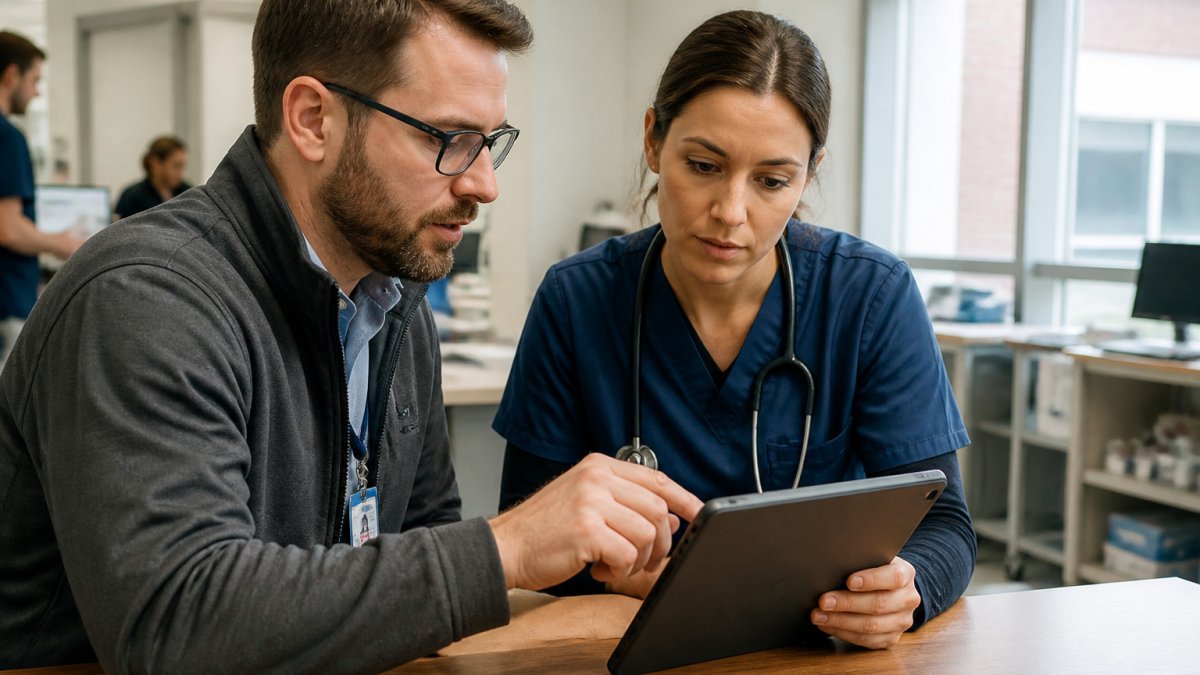
Third-party access can be treated as temporary and informal. If access is not documented or revoked when no longer needed, it can create risk.
This creates multiple risks:
Credentials are shared instead of individual accounts. When multiple vendors use the same username and password, you can't track who accessed what. Audit logs show only that vendor access was used, not which person made changes.
Access persists after it's needed. A contractor finishes the work but access stays active.
Third parties may not meet your security standards. A vendor might connect from an unsecured network or device, skip MFA, or store your credentials insecurely.
Documentation is incomplete. You can't prove to an auditor what access was granted, to whom, for how long, or what they did.
A professional approach to third-party access includes:
Formal access requests. Before any vendor or contractor gets access, a documented request explains what they need, why, and for how long.
Individual accounts. Each person gets their own credentials so access can be tracked and revoked individually.
Least privilege. Vendors get only the access their task requires. A billing contractor doesn't need server admin credentials.
Monitoring and audit trails. You keep logs of who accessed what and when, and review them for unusual activity.
Automatic revocation. Access expires on a set date unless explicitly renewed.
Verification of security practices. Before granting access, confirm the vendor's device meets your security standards (encryption, antivirus, current patches).
A professional assessment can identify gaps in vendor access controls. A cybersecurity consultant can audit your existing remote access infrastructure and identify gaps before they become breaches.
Building a Remote Access Policy for Healthcare That Actually Works
A remote access policy documents how your organization handles remote work and external access. A policy that is not reviewed or followed may not reflect current practices.
An effective remote access policy for healthcare includes:
Who can work remotely and under what conditions. Not all roles can work remotely. Clinical staff providing direct care need to be onsite. Administrative staff might work remotely most of the time. Define which roles are eligible and what approval is required.
What devices are allowed. Can staff use personal laptops or only company devices? If personal devices are allowed, what security requirements must they meet?
What security controls are required. All remote access requires MFA. All devices require full-disk encryption and current antivirus. All connections must use a VPN or approved remote access tool.
What data can be accessed remotely. Can staff download patient records to their device or only view them in a session? Can they print records from home or take screenshots?
How access is monitored and who reviews logs. Someone should regularly review access logs for unusual activity. Define who does this and how often.
What happens if someone violates the policy. Consequences should be clear and enforced consistently.
How the policy is communicated and enforced. Staff need to read and acknowledge the policy. New hires should receive training. Violations should be addressed.
A professional assessment can evaluate whether a policy aligns with applicable compliance requirements.
A professional assessment of your current policy can identify gaps between what it requires and what's actually happening.
Evaluating Your Current Setup: What a Professional Assessment Reveals
Having a VPN, passwords, or MFA does not by itself establish that remote access controls are configured correctly, enforced consistently, or effective.
A professional assessment examines your current remote access infrastructure and identifies gaps. Here's what that evaluation typically reveals:
Are security controls actually enforced? MFA might be enabled but optional, a VPN available but not required, endpoint requirements documented but not verified. An assessment checks whether controls are mandatory and monitored.
Are devices meeting security standards? Remote devices should have encryption, antivirus, and current patches.
Are access logs being reviewed? You might have audit logs, but are they analyzed for unusual activity? Are failed logins investigated?
Are third-party access controls in place? Vendors and contractors might have forgotten access, shared credentials, or no monitoring. An assessment identifies these gaps.
Is the remote access policy being followed? The policy might require MFA while staff use workarounds, or restrict connections to approved devices without enforcement.
Are devices isolated from sensitive systems? A compromised remote device should not automatically reach your entire network.
Is encryption actually protecting data? Connections might be encrypted, but are devices encrypting data at rest? Are backups encrypted?
Cybersecurity Compliance Services That Make Every Audit Simple
A professional assessment can help evaluate whether your current setup has gaps. Triad Cyber Solutions provides compliance support and documentation for regulated organizations.
An assessment can help identify remote access gaps and inform decisions about next steps.
Secure remote access for healthcare staff isn't just a technical problem. It's a business decision that affects patient care, compliance, and liability.
Frequently Asked Questions
What is the difference between a VPN and remote access for healthcare?
A VPN creates an encrypted tunnel for network traffic, while remote access solutions can provide connections to specific systems or applications. The appropriate approach depends on the organization's systems, users, and security needs.
Does secure remote access for healthcare staff need to be HIPAA compliant?
HIPAA includes administrative, physical, and technical safeguards for protecting electronic protected health information (ePHI). Having remote access tools in place does not by itself establish that they support compliance. A professional assessment can help identify gaps in your setup.
What should we evaluate in a third-party remote access solution for healthcare?
A professional assessment can evaluate whether a third-party remote access solution fits the organization's security and compliance needs.
How can we measure whether our remote access setup actually reduces risk?
A professional assessment can evaluate whether remote access controls are documented, monitored, and functioning as intended, and help identify gaps.